

As an Amazon Associate, we earn from qualifying purchases.
Simbans is one of those brands that have consistently created affordable drawing tablets. Since the release of the 10-inch Simbans Picassotab or PicassoTab X in 2019, they have come up with a number of decent follow-ups to match different budget needs and user requirements.
- Picassotab X vs Simbans PicassoTab XL Comparison
- PicassoTab X Drawing Tablet
- What you get in the box
- Body and Build
- Screen and Display
- Stylus Pen and Drawing Experience
- Processing Power
- PicassoTab XL 11.6 inch tablet Specifications
- Frequently Asked Questions
- Is the Simbans Picassotab worth it?
- Does PicassoTab Need A Computer?
- Can the Picassotab be used for animation?
Simbans PicassoTab XL 11.6 was later released in 2022 as another example of a tablet from Simbans balancing both price and affordability. Both tablets are ideal for beginners and professional artists? making it difficult for them to decide which one to choose between the two.
From the onset you will notice that the Simbans PicassoTab XL 11.6 is slightly bigger and more expensive than its predicessor. It costs around $259, and $349 on Amazon and has an 11.6 inch screen size. In this post we will compare these two tablets to help you decide the best one for you.
We will consider different important specifications that are ideal for digital art like the screen size, price, pen availability, palm rejection, free accessories, tablet type and many more. We will highlight specifications for each and the then give a verdict after every specification.
Before we start it is important to note that both tablets come with many free accessories, run on Android OS and do not need a computer tablet connection to use.
If you are looking for other newer tablets from the same brand, consider the Picasso Tab XL (2022), Picasso Tab X11 (April 2024) and the Picasso Tab X14 (February 23, 2024).
Picassotab X vs Simbans PicassoTab XL Comparison
The below infographic shows a Simbans PicassoTab XL and PicassoTab X specs comparison as Drawing Tablet Screens.

PicassoTab X Drawing Tablet
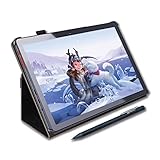
- Screen Size: 10.1-inch
- Aspect Ratio: 16:9
- Screen Type: IPS touchscreen
- Resolution: 1280 x 800 pixels
- Processor: 1.3 GHz Quad Core
- RAM: 2 GB
- Storage Space: 32 GB
- Upgradable to 64 GB
- Connectivity: WiFi, GPS and Bluetooth
- Front Camera: 2 MP
- Rear Camera: 5 MP
What you get in the box

On purchase, you will get a free protective cover to protect the tablet. The leather cover spans from the front screen to the back of the body, connecting with a magnetic edge to close.
The leather cover’s ergonomic design makes it possible to double up as both a simple stand and pen holder. You will also get a stylus pen, drawing glove, adapter charger, and a pre-installed screen protector.
Verdict: Both packages are generous. The XL includes higher-end accessories and a sturdier stylus.
Body and Build

The Simbans Picasso features a small and lightweight build that makes it easy to carry around. It is only 14 by 8 by 2.1 inches in size with an overall 2 lbs weight. This small size is easily manageable on the hand, although some artists prefer a larger size on a drawing tablet.
It has a modern and sleek look with slim bezels around the front screen. You will have a 2 MP webcam on the front for conferencing and selfies. This is nowhere close to premium tablets but is still decent. The rear camera is slightly better at 5 MP resolution.
First of all, the Simbans Picasso XL is a Pen Computer Tablet. You do not need to connect it to a computer to use since it has an inbuilt screen and computer.
A 5- to 8-hour battery life and a lightweight 2.96-pound build make it easy to carry around. It is also quite slim and sleek without the cover, measuring 10.24 x 6.81 x 0.39 inches.
If you like listening to music on the go or connecting your tablet to other devices, you will have a USB-C 2.0, micro HDMI, and 3.5mm audio jack for easy connectivity. Simbans Picasso XL features a minimal style design with a cool matte finish back.
Verdict: The XL offers a slightly more premium look and feel, while the X is marginally lighter. The weight difference is negligible.

Screen and Display

The Simbans Picasso Tab has a 10.1-inch screen size with a 1280 by 800 pixels screen resolution. It is bright and displays your work in rich, vivid colours. Additionally, the landscape’s 16:9 aspect ratio is large and comfortable to use.
This is not full HD resolution but is good enough for streaming Netflix movies. Although the HD resolution is good for both artists and writers, the resolution is quite low compared to the more expensive and powerful tablets like the Apple iPad Pro with 2388 x 1668 pixel resolution.
The Simbans Picasso Tab XL comes with a large 11.6-inch screen and 1366 x 768 pixels of resolution. This screen shows colorful and crisp, clear images thanks to the 16:9 aspect ratio capacitive IPS touch screen.
Additionally, it is bright enough at 200 cd/m2 or 200 nits brightness levels. This means it is perfect for indoor use but will not be clear in high-light situations like outdoors.
As mentioned, you will receive a glossy pre-installed screen protector upon purchase. The glossy finish on it will affect your display when viewing it from an angle.
It would have been great if they had a matte laminated display instead. I also noticed the screen was not as accurate as a 100% sRGB display but was good enough for digital art.
Verdict: The XL clearly wins for artists who need extra room and sharper visuals.
PicassoTab X Screen
- 10.1-inch IPS LCD with a 1280 × 800 px HD resolution and 16:9 aspect ratio.
- Active drawing area of about 100 sq inches.
- Produces bright, vibrant colors but lacks the crisp detail of a higher-resolution screen.
PicassoTab XL Screen
- 11.6-inch LCD with a sharper 1920 × 1080 px Full HD resolution.
- About 30 % more drawing space than the X.
- Rich color and finer line detail ideal for precision work.
Stylus Pen and Drawing Experience

Most tablets in this price range will require you to buy a stylus pen separately, with some ranging up to $100 for an Apple Pen. Among the free bonus items, the Simbans Picasso has a free stylus pen, so you will not have to spend extra just to get the necessary tools you need for drawing or writing.
The pen has up to 1024 pressure levels that will let you draw many different strokes with ease. Unlike some more expensive brands, the Picasso Pen is battery-powered with up to 1000 hours of battery life.
The Simbans Picasso tab has both a screen and a computer. You will not need to connect to a computer to use it. This means that it is a fully portable tablet, great on the go or when travelling or outdoors.
This is great because if you were to go for other brands such as Huion or Wacom, at this price range, you can only get a graphic tablet that needs to connect to a computer for use.
The tablet is small and easy to carry at 10.24 x 6.81 x 0.39 inches in dimension and weighs 2.96 pounds. For a fully portable tablet, however, the battery life is short at 5 hours, although it depends on usage.
The Simbans PicassoTab XL comes with a free PP2 stylus pen. This pen has up to 1024 pressure levels, which will let you draw many different strokes with ease. It also has magnificent palm rejection, which ensures sweaty palms do not affect your drawing.
I would have preferred a battery-free pen with EMR charging. However, the Picasso Pen is not battery free. It is powered by 1 AAA battery which you get for free. Neither tablet excels in battery life, but both are adequate for shorter sessions. Expect similar runtime overall.

Processing Power
Simbans Picasso Tab runs on an upgradable Android 9 Pie operating system and Android 10 for the 64 GB option. For speed and multitasking, the tablet comes equipped with a Quad Core MTK8163 1.3 GHz processor and 2 GB RAM with a 4 GB alternative. The 4GB option is faster with a 2 GHz processing speed.
This RAM and processor speed will easily run most drawing applications without problems. However, if you intend to run very powerful games or animations, the processor might be a bit slow, and we recommend a more expensive Core i5 or Core i7 processor.
You have 2 options for file storage that match the RAM you choose. You have 32 GB, upgradable to 128 GB with an external SD card, and 64 GB, upgradable to 128 GB.
This size is enough for most professionals. However, photographers might need a tablet that is expandable up to 1 or 2 TB due to the large raw file sizes.The Simbans PicassoTab XL runs on an Android 11 for the 64 GB option. This is better than the older Android Pie 9.
For speed and multitasking, the tablet comes equipped with a Quad-Core MTK8163 1.3GHz/Core processor and 2 GB of RAM with a 4 GB alternative. The 4GB option is faster with a 2 GHz processing speed.
This RAM and processor speed will easily run most drawing applications without problems. However, if you intend to run very powerful games or animation, the processor might be a bit slow, and we recommend a more expensive Corei5 or Corei7 processor.
You have two options for file storage that match the RAM you choose. You have 32 GB upgradable to 128 GB with an external SD card and 64 GB upgradable to 128 GB.
This size is enough for most professionals. However, photographers might need a tablet that is expandable up to 1 or 2 TB due to the large raw file sizes. For this, we recommend the Simbans Picasso X11 or Simbans Picasso X14.
Verdict: Both tablets are competent, but the XL benefits from the newer operating system and optional RAM boost, making it more capable for heavy multitasking or larger art files.
Pros
- Affordable Price Range
- Lightweight and easily portable
- Good display
- Long Battery Life
- Free accessories including a Stylus Pen
- Expandable storage
Cons
- No Full HD resolution
- Only expandable to 32 GB
PicassoTab XL 11.6 inch tablet Specifications

- Display: 11.6-inch
- Resolution: 1366 x 768 pixels
- Processor: MT8175 graphics
- Brightness: 200 nits
- Battery life: 5 to 8 hours
- Storage: 64 GB, Expandable with a MicroSD slot
- RAM: 4 GB
- Connectivity: Bluetooth v5, Wif 2.4 or 5 GHz, USB-C 2.0, micro HDMI, 3.5mm audio jack
- OS: Android 11
Frequently Asked Questions
Is the Simbans Picassotab worth it?
Yes, This is a good drawing tablet thanks to a good Stylus and screen. However, it is best for sketching and streaming videos. If you need a professional-level drawing tablet, you will need to invest a little more in a premium tablet.
Does PicassoTab Need A Computer?
No. You do not need a computer connected to use Simbans PicassoTab.
Can the Picassotab be used for animation?
Yes, the PicassoTab X can be used to create animation thanks to FlipaClip for animation. On purchase, the application plus Concepts app for drawing comes preinstalled on the tablet.