
As an Amazon Associate, we earn from qualifying purchases.
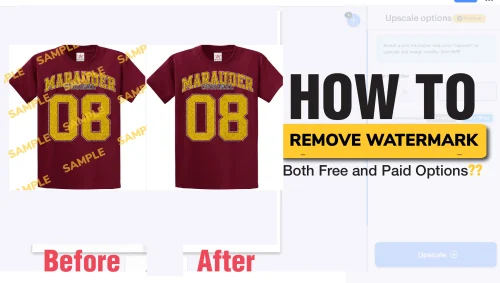
In this post, we will explain how you can remove watermarks from images using free online applications, using mobile apps (either iOS or Android), and finally, using professional applications. If you are a graphic designer, you might have encountered watermarks on images or videos.
Best Watermark Removal tools
- Inpaint (Online Tools)
- Fotor (Online Tools)
- Apowersoft (Online Tools)
- Watermark (Watermark.io) (Online Tools)
- Adobe Photoshop (Professional Software)
- Adobe Lightroom (Professional Software)
- GIMP (free alternative to Photoshop)
- Photopea (Professional / Desktop Software)
- Remove Unwanted Objects (Mobile Apps – Android)
- TouchRetouch (Mobile Apps – IOS and Android)
- Snapseed (Google)
What You Will Learn
In this guide, you’ll discover:
- What watermarks are and why they’re used
- The best online tools to remove watermarks
- Professional software methods for precise editing
- Mobile apps for quick on-the-go fixes
- Legal and ethical considerations of watermark removal
What is a watermark?
Before we start, let us explain what a watermark is. A watermark is a protective measure used to protect digital content from unauthorized use or copying. It can be a logo, name, or text placed on an image. Photographers, graphic designers, or businesses use them to avoid stealing or misuse of their work. Others use it to promote their brands.
A good example is images downloaded from Shutterstock, Getty Images, or Adobe Stock. Once you pay for the image and get the license, the watermark is removed and you get the image for commercial or personal use.

Online Watermark Remover
Whether you prefer paid or free options, there are different online tools you can use to remove watermarks. Some of the best ones include Inpaint, Fotor, and Apowersoft.
Watermark Remover
Watermark is my favorite option. Below are steps to follow.

Step 1: Open the Watermark remover website.
Step 2: Click Upload or click on URL.

Step 3: Navigate to where the image is or paste the link to the image.
Step 4: Choose Remove Watermark
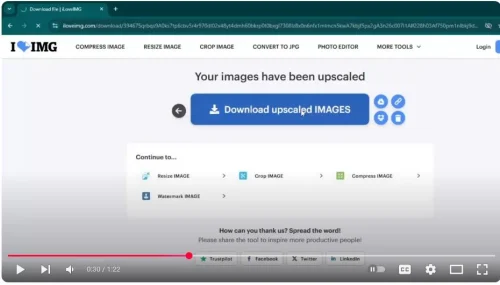
Step 5: Download image
Professional Software for Watermark Removal
You can also use professional graphics software to achieve similar results. These applications include Photoshop, Lightroom, and GIMP, which is a free alternative.
To use this software, you need to understand how to use it professionally. For example, to remove a watermark using Photoshop, it can be done by either using the Clone Stamp Tool, Content-Aware Fill, or the Healing Brush.
Mobile Apps to Remove Watermarks
Whether you are using iPads or Android devices, it is possible to do the same using mobile applications. For Android users, we recommend: Remove Unwanted Objects, TouchRetouch, and Snapseed, while iOS users can use TouchRetouch or Photo Eraser.
TouchRetouch is simple to use and popular among beginners. You can use it by highlighting the watermark area and the app instantly removes it.
Snapseed is completely free. It is a professional Google application. It is convenient for on-the-go edits without sacrificing too much image quality.
Conclusion
Watermarks are protective marks or elements such as logos, text, or names placed on digital images to prevent unauthorized use and to promote creators or brands.
They can be seen on stock images from platforms like Shutterstock, Getty Images, and Adobe Stock. You can remove watermarks once you purchase a license.
There are several ways to remove watermarks. For quick solutions, Watermark is among the easiest tools to use, while AI-powered software offers near-perfect results depending on image complexity. For those seeking free alternatives to Photoshop, tools like GIMP and Photopea are excellent options.
- Online Tools like Watermark, Inpaint, Fotor, and Apowersoft allow quick and easy watermark removal without advanced skills.
- Professional Software like Photoshop, Lightroom, and GIMP (a free alternative) provide advanced tools such as the Clone Stamp, Healing Brush, and Content-Aware Fill for precise editing.
- Mobile Apps for both iOS and Android users can use apps like TouchRetouch, Photo Eraser, Snapseed, or Remove Unwanted Object to edit on the go.
Removing watermarks from images you don’t own is usually illegal. It violates copyright protections and user rights. It is only acceptable when editing your own photos with accidental marks like timestamps. Always respect ownership rights—edit only your own images or use licensed stock photos to stay safe and ethical.
Watermark removal will not manipulate the orientation of the image. To rotate and flip an image, you will need other inbuilt tools like the transform or reflect tool (o).
Frequently Asked Questions
Is it illegal to remove watermarks from images?
In most cases, removing watermarks from images you don’t own is illegal because they protect the creator’s copyright. Doing so without permission can lead to legal consequences, especially for commercial use. However, removing watermarks from your own photos, such as date stamps or accidental marks, is legal. The key factor is ownership—if it’s yours, you can edit; if not, you should buy rights or get permission. Respecting copyright protects both you and the creators.
What is the easiest way to remove a watermark?
Watermark is the easiest method I use to remove watermarks. After removing them, I recommend upscaling your image for best quality.
Can AI remove watermarks perfectly?
Yes, there are different applications and online platforms that allow you to remove watermarks perfectly.
Are there free alternatives to Photoshop for watermark removal?
Yes, there are different professional alternatives you can use instead of Photoshop. Examples include GIMP, Lightroom, and Photopea.
What is a watermark?
A watermark can be a logo, name, or text placed over an image or video. Creatives, Photographers, or businesses use them to avoid misuse of their digital work. You can also use them to promote your brand by adding a watermark to your social media posts.