

As an Amazon Associate, we earn from qualifying purchases.
The Best Tablet for Photo Editing is a perfect inclusion to your workflow. If you like editing your pictures while on your travel or outside your office, then they are a must-have.
- Top 8 best tablets for photo editing and Video editing
- Apple iPad Pro (M4): Best tablet for video editing
- XP-Pen Magic Drawing Pad: Best Graphics Tablet for Professionals
- Samsung Galaxy S9 Ultra: Best Android Tablet for Photo Editing
- Microsoft Surface Pro 9 – Best Windows Tablet
- Samsung Galaxy Tab S7 – Best Midrange photo edit tablet
- Apple iPad Air: Best tablet for photography
- Pros
- Cons
- Apple iPad – Best iPad for Photoshop
- Xencelabs Pen Tablet Medium: best drawing tablet for photo editing
- What you get in the Box
- Amazon Fire 10 HD: Cheap Tablet for Photo editing
- How to choose the best Tablet for Photo Editing and Photoshop.
- Display Quality
- Processing power
- Stylus Responsiveness
- Portability and Battery Life
- What are the best tablets for photo editing and Photoshop
- Frequently Asked Questions
- Can tablets replace laptops for photo editing?
- What tablet can I use for editing photos?
- Can you use Adobe Photoshop on tablets?
- Can tablets be used for video editing?
- Laptop vs. tablet: which one is better for video editing?
With the many brands and types of tablets available, choosing the best one for you is not easy. You may find it difficult to decide the perfect one for you between Apple iPads, Samsung, Windows, or even Amazon Fire HD tablets.
After testing different brands and types of tablets, we found Apple iPad Pro (M4) to be our top pick. Powerful features and a long battery life set it apart from the rest. Unfortunately, it is an expensive tablet and may not be available for everyone.
If you prefer a cheaper Android tablet that almost matches up to the iPad Pro, we recommend the Samsung Galaxy S9 Ultra. Although it is not as good as the iPad Pro, it takes the spot as the Android tablet available.
We have also included other brands of tablets such as Windows tablets and also highlighted your cheapest options. Most photographers and professional designers use Adobe Photoshop and Lightroom to edit photos. If you are a videographer looking for top tablets for video editing, this post has got you covered.
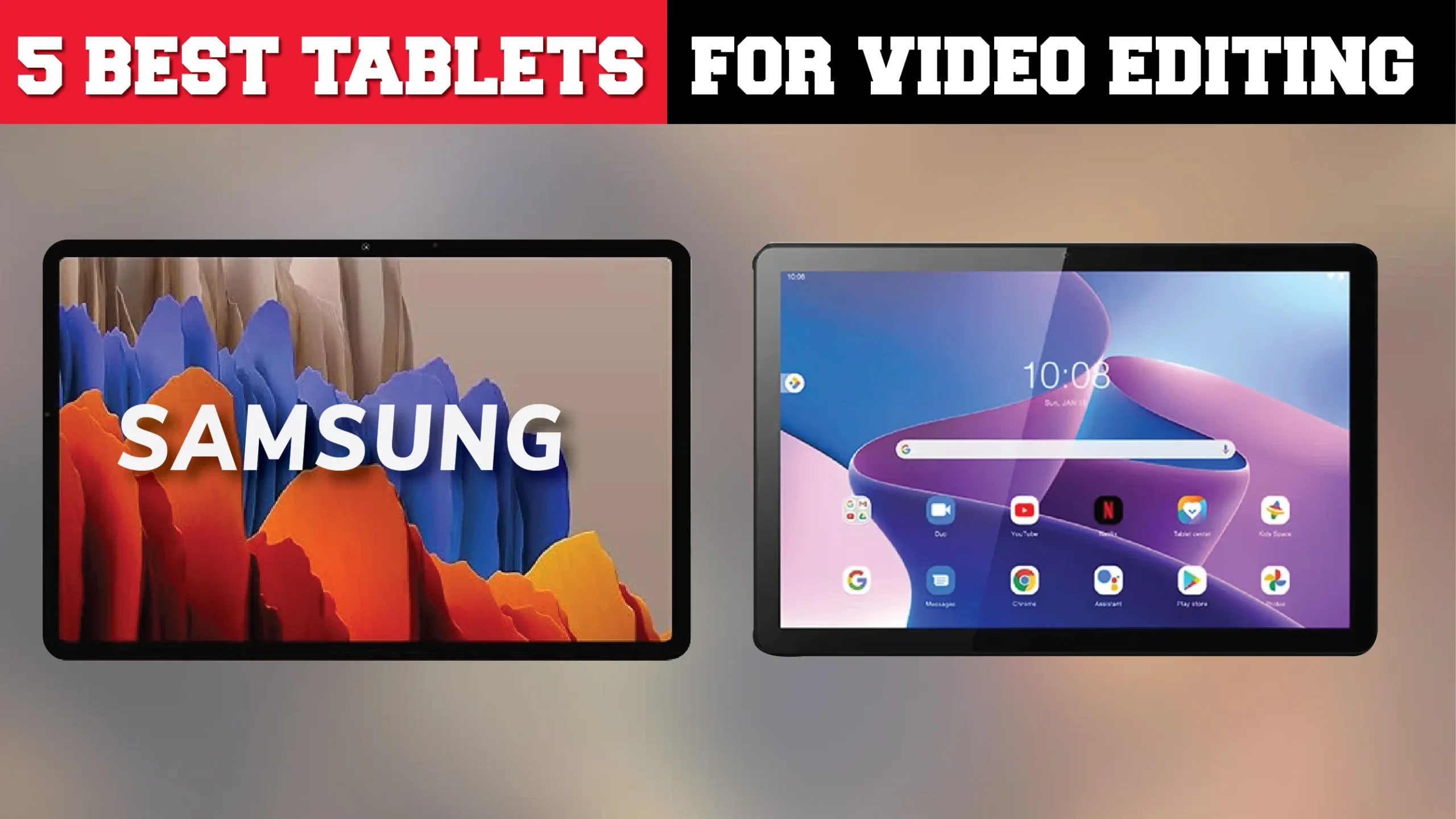
Top 8 best tablets for photo editing and Video editing
| Best tablet for video editing | Apple iPad Pro (M4) |
| Best Graphic Tablet for Photoshop | XP Pen Magic Drawing Pad |
| Best Android | Samsung Galaxy S9 Ultra |
| Best Windows | Microsoft Surface Pro 9 |
| Best Budget | Lenovo Idea Tab Plus |
| Best Value for money | iPad Air 13‑inch (M3) |
| Best iPad for Video editing | iPad 11-inch (2025) |
Apple iPad Pro (M4): Best tablet for video editing

- Screen size: 13 inches
- Display: Ultra Retina XDR
- Resolution: 2752 x 2064 pixels
- Chip: Apple M4
- RAM: 8 GB/16 GB
- Storage: 256 GB, 512 GB, 1 TB, 2 TB, non-expandable
- Weight: 1.28 pounds
- Rear Camera: 12MP Wide
- Front Camera: 12 MP Ultra Wide with Center Stage
- Audio: Four speakers, four studio-quality microphones
- Battery Life: Up to 10 hours
- Connectivity: USB-C (Thunderbolt or USB 4), Wi-Fi 6E
- Security: Face ID
The 2024 version of the 13-inch iPad Pro is the most powerful iPad tablet available. The major upgrade on these two new tablets is the OLED screen display, which is similar to that on premium Android tablets.
The iPad Pro 13 comes with a powerful M4 chip that easily handles intense Photoshop tasks. Whether you are using multiple layers, effects, or special filters, this processor will work perfectly.
Additionally, you will have 16 GB of RAM, which makes it easy to run any complex tasks. You will have 256 GB to 2 TB of storage space, but it is not expandable. To upgrade, you must buy the next size.
The premium display makes the Apple iPad M4 tablet perfect for creative work. It has a Liquid Retina XDR mini-LED screen with a bright display and high 2,752×2,064 pixel resolution.
You can use this tablet for 4K video editing, drawing, complex gaming, and outdoor use thanks to the high 1,000 to 1,600 nits brightness levels and 120 Hz screen refresh rate.
For digital art or editing photos, the Apple iPad Pro M4 is compatible with a new pen, the Apple Pencil Pro, instead of the Apple Pencil 1 or Apple Pencil 2 on older models.
Just like earlier versions, you still have to buy the pencil and Magic Keyboard separately, which compounds the general price. The pen is perfect for high-pressure sensitivity.
Pros
- Large screen with Ultra Retina XDR OLED display
- Powerful Apple M4 chip for complex tasks
- Large 16 GB RAM for multitasking
- Apple Pencil Pro support for precise editing
- High screen brightness and refresh rate at 1,600 nits and 120 Hz, respectively
- Long battery life
Cons
- Very expensive
- Apple Pencil and Magic Keyboard sold separately.
- No expandable storage or RAM
XP-Pen Magic Drawing Pad: Best Graphics Tablet for Professionals

- Resolution: 2160 × 1440 Pixels
- Size: 12.2-inch
- 3:2 aspect ratio
- Color Accuracy: 109% sRGB, 82% AdobeRGB, 77% NTSC
- RAM: 8GB
- • 8-core MT8771 processor
- 256 GB storage
- Expanded up to 512GB with a Micro SD card
- • XP-Pen X3 Pro stylus
The XP-Pen Magic Drawing Pad redefines portability and performance for digital artists, offering a standalone drawing solution that requires no additional computer connection.
This 12.2-inch drawing tablet is perfect for creators seeking a lightweight yet powerful device for sketching, designing, or animating on the go.
The tablet boasts a paper-like screen with a 2160 x 1440 resolution and a 3:2 aspect ratio, delivering sharp visuals and vibrant colors. With 109% sRGB, 82% AdobeRGB, and 77% NTSC color accuracy, it ensures precise color reproduction, making it ideal for professional-level digital artwork.
The screen’s responsive touch and clarity rival high-end alternatives like the iPad Pro and Samsung Galaxy Tab S8 Ultra.
Powering the Magic Drawing Pad is an 8-core MT8771 processor paired with an ARM G57 MC2 GPU, 8 GB of RAM, and 256 GB of onboard storage. The storage can be expanded up to 512 GB with a Micro SD card, providing ample space for large projects, software, and multimedia files.
Its Android-based operating system makes it compatible with popular creative apps like Photoshop, Procreate, and Clip Studio Paint.
The included XP-Pen X3 Pro stylus enhances the creative experience with 16,384 levels of pressure sensitivity and EMR (electromagnetic resonance) technology, allowing the pen to charge wirelessly during use. This battery-free stylus ensures precise and natural strokes, whether you’re sketching, shading, or writing.
Additional features include Bluetooth 5.1 and Wi-Fi connectivity, as well as a USB-C 2.0 port for seamless data transfer and charging. Its lightweight design and compact dimensions make it highly portable, while the included slim case with a built-in stand and pen holder slot adds to its convenience.
A range of thoughtful accessories, such as a screen-protecting glove, four spare nibs, and a nib remover, is also included.
The XP-Pen Magic Drawing Pad is an excellent choice for digital artists who need a versatile, high-performance tablet for on-the-go creativity.
Its crisp display, powerful processor, and precision stylus combine to offer a professional-grade drawing experience in a compact, portable package. While it may come with a premium price tag, its features and accessories make it a worthwhile investment for serious creators.
Pros
- Affordable standalone graphics tablet
- Ultra-precise stylus
- Expandable storage space
- User friendly Paper-like screen texture
- Comes with useful accessories like glove, spare nibs
Cons
- Not optimized for multitasking
- Lags when using heavy apps like 3D renderers
Samsung Galaxy S9 Ultra: Best Android Tablet for Photo Editing

- Screen Size: 14.6-inch
- Resolution: 1848 x 2960 pixels
- AMOLED Screen
- Processor: Gen 2 Qualcomm Snapdragon 8
- RAM: 12 GB / 16 GB
- Storage: 256 GB, 512 GB, 1 TB
- Expandable Storage
- Comes with free S Pen
- Battery: 10 hours
If you are looking for an affordable tablet that overcomes the iPads limitations but maintains a reasonable budget and performance, we recommend the Samsung Galaxy S9 Ultra and Galaxy Tab S10 Ultra.
First, the tablet comes with a huge 2X AMOLED 14.6-inch screen size and 1848 x 2960 screen resolution. This is larger than the Apple iPad Pro screen. However, it is not as clear.
The Galaxy S9 Ultra comes with a free S Pen and free Nibs for replacement. It is also compatible with Samsun Tablet DAX mode, a system used to combine Samsung tablets with keyboard to instantly become writing tablets.
The processing power is good and adequate for Photoshop, Lightroom, and most other photo editing applications. This is made possible by Qualcomm SM8450 Snapdragon 8 Gen 2 processor and 8 to 16 GB RAM.
The Apple iPad Pro with its M2 chip has for long been the most powerful iPad. However, if you’re looking for more power and performance, the new M4 chip produced in 2024 on the iPad Pro 13 and iPad Pro 11 M4 is the most powerful iPad available.
For those who need a budget-friendly option, we recommend the iPad Air with its M1 chip which is slower but equally versatile and good for any photo editing tasks
Like the iPad Pro, the battery life stands at 10 hours. However S9 Ultra features lower brightness levels at 300 nits compared to Apple’s up to 650 nits to 1000 nits. This is however only important if you are working outside and in high-light areas.
Overall this is a premium-level tablet that packs great features for many tasks such as photo editing. The iPad Pro’s liquid Retina display provides bright and high color accuracy, which is perfect for adjusting and editing even 4K resolution images.
Pros
- Large Clear Super AMOLED Screen
- Powerful Processor and RAM
- Best iPad Alternative
- Long Battery Life
- Compatible with Pen and Keboard
Cons
- Expensive
- Low Brightness Levels
- Lacks 3.5 mm Jack
- Keboard bought separate
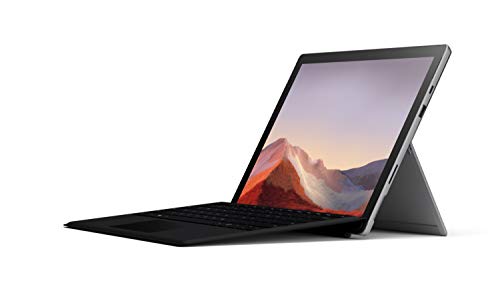
Microsoft Surface Pro 9 – Best Windows Tablet
- Screen size: 13-inch
- Resolution: 2880×1920 Pixels
- Processor: 12th Gen Intel Core i5 – i7
- OS: Windows 11
- RAM: 8 / 16 / 32 GB
- Storage: 128 GB – 1 TB
- Battery life: 16 hours
If you prefer a 2 in 1 laptop tablet option, Microsoft has for years made the best. The new Microsoft Surface Pro 9 takes the spot for top Windows editing tablet.
Although it packs powerful specs, it is not so different form the older Surface Pro 7 and Surface Pro 8 which are way cheaper.
The Surface Pro runs a full Windows 11 operating system and can run full versions of all the good software that photographers use, including Lightroom and Photoshop.
To run such complezx software, it features a powerful Intel Core i7 processor with a core i5 option which is slower but still good. Other Surface Pro 9 versions also come with the native Microsoft SQ 3 processor which is not at all bad.
This tablet is versatile and multipurpose. It features 8, 16 and 32 GB RAM options which make sure you can edit photos, play games and edit videos without issues.
The tablet holds down pretty nicely into what they call studio mode which makes it easy for you to have a little bit of a rise to it so that when you are retouching on images or something else it becomes easy.
The screen looks great and it is 2880×1920 Pixels at 13.3 inches in size. The overall 2 in 1 laptop tablet build quality of the surface line in general is fantastic for photo editing. A great addition is the USB port that a lot of people have been asking for.
Older Surface Pros were using Intel’s 10th and 8th generation processor but in this new version we see a jump up to the 12th generation.
Surface Pro 9 features a long 16 hours battery life of continuous video watching which is longer than an 8 hours full working day. The iPad Pro is a premium level tablet and will come at a higher price point. The Microsoft Surface Pro 9 on the other hand, offers a more affordable tablet that does not compromise on essential photo editing capabilities. This makes it a perfect budget tablet option for both beginners and creative professionals.
Pros
- The Surface Pro has a fast processing speed.
- Long 16 hours battery life
- Large RAM
- High resolution screen
- Touch sensitive 2 in 1 laptop tablet display
Cons
- The pen and keyboard are at an extra cost.
- The tablet has no Thunderbolt 3
- Most features are available in the cheaper Surface Pro 8 and 7.
Samsung Galaxy Tab S7 – Best Midrange photo edit tablet

- Screen Size: 11 Inches
- Resolution: 2560 x 1600 Pixels
- AMOLED screen
- Processor: Snapdragon 865+
- RAM: 6 / 8 GB
- Internal Storage: 128 / 256 GB
- Connectivity: Dual sim, 3G, 4G,5G Wi-Fi
- OS: Android 10
- Connectivity: USB-C Port
The Galaxy Tab S7 is without a doubt the best tablet running on an Android operating system and one of the most formidable competitors of the iPad Pro. It features a 11 Inches super AMOLED screen along with a 120-hertz refresh so you will still get to experience superb video clarity that flows like butter.
You will get a PC lag experience with the snap of a keyboard and can use the ultra-low latency S pen to write and move photos around the screen like never before after you are done with your sketches, snap it magnetically onto the back of the tablet where it charges wirelessly.
Samsung tab comes in a Wi-Fi-only version and is powered by the Qualcomm snapdragon 865 plus which is backed with 8 GB of RAM and 512 GB of built-in memory ensuring there is enough storage for all your photos, videos, and apps making it interesting when it comes to video editing.
There is also an 8-megapixel front-facing camera and a dual camera set up at the back that is capable of recording videos at 4k.
Pros
- Tab 7 has a solid processor and RAM
- The tablet has a high-quality camera
- Expandable storage.
Cons
- The tab has LCD instead of OLED
- Expensive
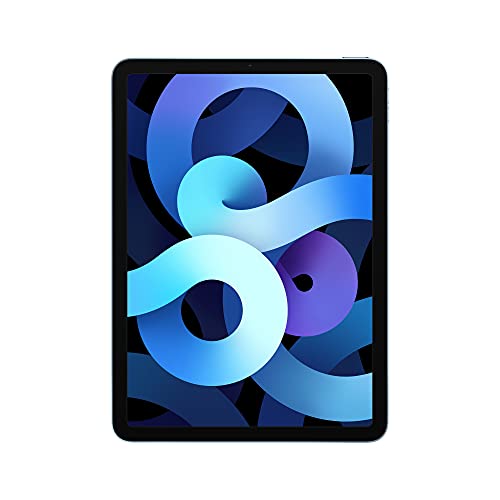
Apple iPad Air: Best tablet for photography
- Screen size:10.9-inch
- Resolution: 2360 x 1640 pixels
- Operating System: iPad OS 14
- RAM: 3 GB
- Processor: Apple M1 chip
- Storage Space: 64 GB / 256 GB
- Non expandable Storage
- Cameras:12 MP front and rear cameras with dual pixel PDAF
Apple’s new iPad Air is a more affordable but still highly capable option with its 10.9-inch retina display good for photo editing. A lot of attention has gone to this new model powered by Apple’s A12 chip, it’s less powerful than the older Apple versions but it is still able to run photo editing software comfortably.
The processing power and RAM are quite impressive storage when you consider it is working on a device that weighs less than half a kilo and is just six millimeters thick. There is as you would expect less RAM in the tablet still a respectable 3 gigabytes and 256 GB storage to play.
The iPad Air has a long-lasting battering 28.6-hour battery that will give you up to 10 hours of runtime for your day-to-day run. Furthermore, the Apple pencil creates more possibilities and greater efficiency as you can write notes and draw.
The iPad Air is not only good in performance but also comes with a high-resolution rear camera, for taking photos and videos in crisp and clear quality. The front camera is also clear and good for web conferencing.
Pros
- Super fast processing speed
- Solid build quality.
- Easily portable
- Compatible with Apple Pencil 2
Cons
- Storage capacity cannot be upgraded
- No 3.5 mm jack
- Pencil bought separate
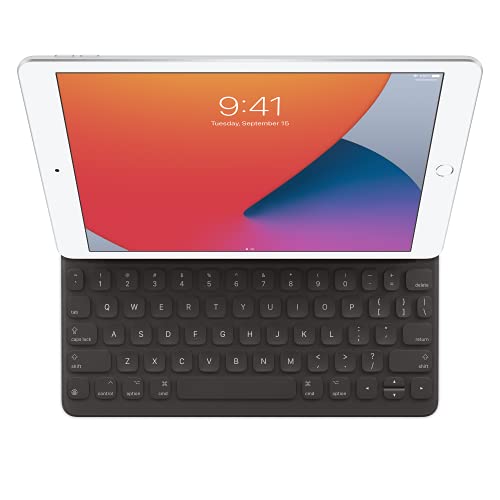
Apple iPad – Best iPad for Photoshop
- Screen size: 10.5-inch
- Resolution: 2360 x 1620 pixels
- Operating System: iPad OS 16.1
- Processor: A14 Bionic
- Storage Space: 64GB / 256GB No expandable Slot
- Cameras: 12 MP Rear 12 MP front camera
With a 10.5-inch retina display a screen resolution of 2360 x 1620 pixels, and amazing color accuracy. This is one of the best tablets for most photographers and artists alike.
You can comfortably use the tablet for 10 hours with just one charge. It has a slim design which means it will not take up a lot of space in your bag thus making it convenient for getting jobs done on the go.
The tablet has also the Apple app which has various features with over 100 different photo editing apps such as Adobe Photoshop and Lightroom that allow you to easily sync your work from your desktop or computer, is engineered for both performance and responsiveness and it has a great processor and decent storage.
Pros
- Bright and high-resolution displays.
- The iPad has excellent battery life.
Cons
- No SD card slot for photo transfer.
- Expensive compared to earlier Apple versions.
Xencelabs Pen Tablet Medium: best drawing tablet for photo editing

- Product Dimensions: 12.61 x 9.16 x 0.3 in / 320.5 x 232.85 x 8mm
- Working area size: 10.33” x 5.8”
- Resolution: No screen
- Aspect ratio: 16:9
- Pen: Tilt Sensitive, Battery-free
- Pen Pressure: 8192 levels
- Weight: 5 Pounds
- Ports: USB-C to USB-A, Wireless Dongle
First, the back is made of hard plastic with an aluminum-like feel that is hard and sturdy. This goes a long way to make it durable and strong. The Xencelabs Pen Tablet is also sleek and surprisingly thin and only weighs 4.49 pounds which is light enough to carry around.
The tablet layout is artist-friendly and comes with a physical shortcut button remote not having them cluttered on your screen area.
Under the engraved product logo, you have 3 buttons and that is all that appears on the device. One will bring up tablet settings, switch the display, and finally the last one to adjust the pen pressure.
The remote comes with 4 modes that can be easily set with a simple dial to memorize. You can set up to 40 custom keyboard shortcuts on the remote that can speed up your workflow.
The bottom grooves on each side make picking the tablet easy even when on a flat table surface. This level of attention to detail and concentration on the simple improvement of user experience is by far unmatched in other brand devices even more expensive.
The screen is slightly below 13 inches with an active 10.33” x 5.8” Active area and some reasonably sized bezels. Bezels refer to the area not covered by the screen along the edges of the front side. The 12.62 x 9.17 x 0.31-inch size is also not too big and not too small, so it’s perfect to use and move around.
The screen has a 16:9 aspect ratio, the same in proportion to a normal laptop. However, if you prefer a smaller laptop screen, you can opt for the Xencelabs Pen Tablet small option.
In terms of drawing surface texture, Wacom Intuos has been an industry standard for a very long time. Finally, a worthy competitor in the form of the Xencelabs Pen Tablet has come up with an excellent paper-like feel when drawing.
The Xencelabs is not a standalone tablet and does not have a computer to store software. It also lacks a screen and needs a computer connected to use. Although it is a cheap pen tablet, it is a premium product and offers a great user experience for both beginners and professionals and will give other similarly priced tablets a run for their money.
When it comes to the Pen, this tablet matches up to the Apple Pen and Wacom Pen 2 which are considered industry standard.
The tablet comes with 2 wireless stylus pens that do not need to connect to charge. One is thick with 3 customizable buttons while the other one is thinner and smoother without any buttons. Additionally, they have decent 8192 pen pressure levels that feel great as you draw.
Just like pro pens, they also have tilt recognition and an eraser, plus good pressure sensitivity. The 2 pens come in a nice plastic case that has a case and a wireless USB dongle inside to keep them safe. You can’t easily misplace them.
Both pens are ergonomically shaped like normal pens, creating a natural feel. The thick pen’s buttons increase the grip and pen mass. If you have sweaty hands, you will get a free glove in the box to use.
A great pen and screen will result in the creation of quality strokes and overall great art. As mentioned earlier, you will get a nice Pen holder to store your 2 pens and USB dongle.
Whether you prefer a wired or a wireless connection, this tablet works on both. The tablet Connection works from a single USB-C for the tablet side and connects to the USB A cable end that connects to your computer.
This cable comes with the tablet. For a wireless connection, just take the USB dongle from your case and connect it to use a wireless connection.
What you get in the Box
- Xencelabs Pen Tablet
- 2 Stylus Pens
- Pen case
- Drawing glove and Storage Bag sleeve
- USB Wireless dongle
- USB-A to USB-C CABLE
- Remote dial control
Pros
- Affordable Price for a Premium Tablet
- Many additional freebies
- Durable body
- Large textured 16:9 screen
- Both wired and wireless connection
- Premium Pen
- Many customizable shortcut Keys
- Slim lightweight
Cons
- Not a standalone tablet
- No Display
Amazon Fire 10 HD: Cheap Tablet for Photo editing

- Screen size: 10-inch
- Resolution: 1920 x 1200 Pixels
- Processor: Mediatek Quad Core
- RAM: 2 GB
- Storage: 32 / 64GB Expandable to 512 GB
- Battery life: 10 hours
- OS: FireOS
If you are on a budget the Amazon Fire 10 HD from Amazon is for you. This cheap tablet features a 10 inch screen and Full HD 1920 x 1200 Pixels resolution.
You will have a long 10 hours battery life and 32 / 64 GB storage space which is small but can be expanded to 512 GB using a MicroSD card slot.
Unfortunately, the 2 GB RAM on this tablet will be slow and result to Lags. We recommend 8 GB RAM and above for editing Photos seamlessly. The Fire 10 HD features a FireOS this is another downside.
Although it works perfectly with Alexa and Amazon App Store, it will have problems with Google Play store applications.
Pros
- Affordable Price
- Full HD resolution
- Alexa and Amazon Store compatible
- Expandable storage to 512 GB
Cons
- Low RAM
- Poor Google Play Store application compatibility
How to choose the best Tablet for Photo Editing and Photoshop.
Just because a tablet packs powerful features, it does not necessarily mean it has to be good for photo editing. Some specific features set it apart and allow it to carry out this purpose effectively.
First, the screen size and resolution are very important. This will affect how you will view your work and overall working area. A large and comfortable working area is preferable over smaller ones. The color gamut or color accuracy also needs to be good for quality output of work.
Photo editing is a system-intense process and requires powerful software to be done. Make sure that your tablet is powerful enough to comfortably run whichever editing software you like using without lags.
For this, you need to check the RAM, Operating system, and processor. Large RAM preferably from 8 GB will make sure your tablet does not lag as you work.
Choose a modern processor and operating system that you are comfortable working with. Older processors may not be compatible with new versions of software such as Photoshop CC.
Raw photo files may be too big and occupy lots of storage space. If you like saving your files in your tablet memory instead of an external memory source, you need to consider the storage space. Choose a tablet with a large storage volume or one that can be expanded using an external MicroSD card.
When choosing a good tablet for Photoshop, you need to consider the below factors.
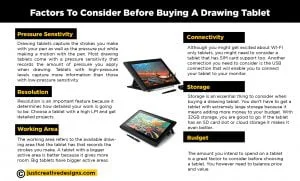
Display Quality
You need to consider the display size, resolution, color accuracy, brightness, and contrast of your screen. When using Photoshop, you want a large and comfortable workspace and a colorful and clear enough display. The 2024 Apple iPad Pro 13-Inch (M4) has a large screen with high resolution, a wide color gamut, and high brightness and contrast levels.
Processing power
Processing power and performance mean that your ideal tablet should be able to run the editing software without lags or unnecessary crashes. You need to have more than 8 GB RAM and a modern processor like Intel Core i7 or Apple M4 for Photoshop. For storage space, we recommend the SSD storage type because it offers faster load times and file handling. Some tablets, like the Samsung Galaxy Tab S8,
offer expandable storage using a MicroSD slot.
Stylus Responsiveness
When using tablets, the stylus is your main editing tool; it needs to offer user-friendly performance. For this, consider pressure sensitivity (at least 4,096 levels), + or – 60 tilt functionality, and low pen latency that keeps up with your movements.
Portability and Battery Life
If you like working on the go, choose a tablet with a lightweight and compact build. This is ideal for travel or remote editing. Additionally, choose one with extended battery life—at least 8–10 hours of usage. The Google Pixel Tablet offers the longest battery life.
What are the best tablets for photo editing and Photoshop
| Best Tablet for Photoshop | Apple iPad Pro (M4) |
| Best Graphic Tablet for Photoshop | XP Pen Magic Drawing Pad |
| Best Android | Samsung Galaxy S9 Ultra |
| Best Windows | Microsoft Surface Pro 9 |
| Affordable iPad | Apple iPad 10.5 |
| Best for photography | Apple iPad Air |
| Cheap Tablet | Amazon Fire 10 HD |
| Best Budget | Xencelabs Pen Tablet Medium |
Frequently Asked Questions
Can tablets replace laptops for photo editing?
Yes, Many new tablets pack very powerful specifications and can be used as perfect video and photo editing laptop alternatives. Tablets that are compatible with keyboards make it possible to use tablets just like you would laptops only with better functionality such as touch sensitivity.
What tablet can I use for editing photos?
The 6 tablets discussed in this article are perfect for Photo edits. However, for the best user experience, we recommend the iPad Pro or Samsung Galaxy S9 Ultra.
Can you use Adobe Photoshop on tablets?
Yes, it is possible to use tablets for Photoshop. You can use them for drawing, photo editing, retouching, and sketching. This is made possible by the powerful specifications like large screens, powerful perfomance and ling battery life on modern tablets.
Can tablets be used for video editing?
Yes. Powerful models like the Apple iPad Pro 13 2024, Microsoft Surface Pro 9, and Samsung Galaxy Tab S9/S10 Ultra have large, clear screens and powerful features that make it easy to edit both photos and videos.
Laptop vs. tablet: which one is better for video editing?
aptops are more powerful and versatile compared to tablets as video editing devices. Additionally, accessories that must be bought separately on tablets, such as keyboards and mice, come for free when connected to laptops.