
As an Amazon Associate, we earn from qualifying purchases.
The choice between Huion and Wacom can be very confusing for most beginners and even some pros. After thorough testing of these 2 top contenders for best drawing tablets, we have considered the usability, type and different specifications like stylus pens, working area, shortcut keys and more.
Whether you are a beginner, freelancer, designer or need to upgrade your design and drawing work, a pen tablet, pen display or standalone device can work for you. Here are our honest findings and recommendations based on our research.
Overall we found Wacom tablets to offer longer durability, better pen technology, a firm body and good build quality but at a premium price. Huion tablets, on the other hand, deliver similar powerful features at significantly lower prices. Most professionals preferred Wacom devices because of the pro-level workflow.
Beginners, students or users on a budget chose Huion tablets instead. Ultimately, the best choice depends on personal preference, workflow, price and working ecosystem. In this updated post, we have considered new versions released in 2024 or 2025.
Huion vs. Wacom Drawing Tablets
- Wacom Intuos Pro (2025 Redesign): Professional Wacom Pen Tablet
- Inspiroy Frego M (2024): Professional Huion Pen Tablet
- HUION Inspiroy 2 Medium (2022): Best selling Huion Pen Tablet
- Wacom Cintiq 16 (2025): Best Pen Display
- HUION Kamvas Pro 16 V2 Drawing Tablet (2025): Huion’s Pen Display
- Wacom MovinkPad 11 (2025): Wacom’s Pen Computer
- Kamvas Slate 11 (2025): Huion’s Pen Computer
Pen Tablets Comparison (No Screen)
Wacom Intuos Pro (2025 Redesign)
The best pen tablet from Wacom is the new Wacom Intuos Pro (2025 Redesign). It is an upgrade to the 2013 and 2017 models with better functionality and a new design. You will have an ultra-thin profile at only 4 mm at its thinnest (vs 8 mm on the 2017 model).
The large sensitive working area at 13.7 × 7.7 inches with a 16:9 format is better suited for modern widescreen monitors and multi-monitor setups. Compared to other pen tablets, the magnesium-built body is more firm and durable yet lighter than previous models.
One of its standout features is the Pro Pen 3 stylus, which is an upgrade from the Pro Pen 2. It is the most advanced stylus pen on any tablet from Wacom.
For artists it offers 8,192 pressure levels with 60-degree tilt support on the fully battery-free pen. The Pro Pen 3 offers unique customisation that allows you to change gripping styles, adjust weight balance, and assign up to three customisable buttons for quick workflow.
On the tablet body, you have up to ten shortcut or express keys plus dual mechanical dials. This means that you will have a fast and reliable workflow when using Photoshop, Illustrator, Blender or any graphic design applications.
For connectivity, you will have Bluetooth 5.3 that enables a stable wireless connection with dual computer pairing. If you prefer a wired connection, USB-C provides a reliable wired connection as an alternative. This tablet is best for professional creatives who demand accurate precision, reliability, and durability.
You can either choose the large, medium or small Wacom Intuos Pro (2025 Redesign) option. The medium and small options come at an affordable price range at $379 and $249, respectively.
The large option offers the best user experience but is not cheap. It costs $499, similar to some midrange pen displays. I would prefer a tablet with a screen if I spend almost $500.
Why Avoid
- Large option is almost as expensive as Pen Displays
- No screen
Huion Inspiroy Frego M (2024)
The Huion Inspiroy Frego M (2024) is the latest professional pen tablet from Huion. It is not as powerful as the Wacom Intuos Pro (2025 Redesign), but it will still offer a good drawing experience and great value for your money. Compared to the Wacom Intuos Pro (2025), this tablet is very cheap. For budget users in the US, you can either choose the small or medium option, priced at $69 and $99, respectively.
It measures 10 × 6.25 inches of active working area and weighs only 546 grams, making it both portable and comfortable to use. This average size, plus compatibility with Android 6.0 Marshmallow, Linux, Mac OS X 10.2 Jaguar, and Windows 8, makes it possible to use this tablet on desks and with mobile devices.
Huion Inspiroy Frego M (2024) has a modern, sleek, minimalistic design. Unfortunately, it lacks customisable keys on the body, with only 2 keys on the pen. More keys would have been better. If you are on a budget and want a professional-grade pen tablet performance without premium pricing, the Inspiroy Frego M is one of the strongest options available.
The tablet supports a battery-free PW550S stylus with 8,192 pressure levels. It offers a smooth drawing experience thanks to a 60-degree tilt recognition and high responsiveness almost as good as expensive tablets. The pen’s ergonomic design provides a consistent performance during long drawing sessions.
One of the standout features of the Frego M is its true wireless capability. Bluetooth connectivity delivers up to 24 hours of battery life, allowing users to switch seamlessly between wired and wireless workflows.
Despite its low price and premium features, the older Inspiroy 2 Medium (2022) beats the Inspiroy Frego M (2024) as the best-selling Huion pen tablet. This is because the Inspiroy 2 Medium offers physical shortcut keys, a scroll wheel, and a wired USB-C connection that delivers better productivity and consistent, lag-free performance without battery concerns. It has better responsiveness and faster workflows.
In contrast, the Inspiroy Frego M has a minimal look, with no physical keys on the body save for 2 on the pen. The wireless design and Bluetooth connectivity are not the best, with some users complaining that they are not very stable. Generally it has lower responsiveness compared to the Inspiroy 2 Medium (2022) despite using the newer PenTech 3.0+.
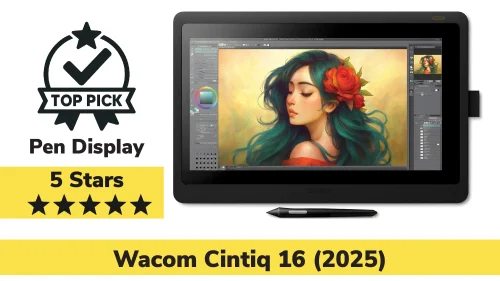
Wacom Cintiq 16 (2025): Best Pen Display
The Wacom Cintiq 16 (2025) brings professional pen display performance to a more accessible form factor. Its 16-inch IPS display features a sharp 2.5K resolution with excellent colour accuracy, covering 99% DCI-P3 and 100% sRGB.
The Pro Pen 3 provides exceptional pressure control and responsiveness, with a low 12 ms response time that feels natural for illustration, 3D animation, and design work. Drawing directly on the screen significantly improves hand-eye coordination, especially for artists transitioning from traditional media.
Wacom has improved usability in this generation by reducing bezel size, lowering overall weight, and simplifying connectivity to a single USB-C cable with DisplayPort Alt Mode.
The built-in fold-out stand offers a comfortable 20-degree working angle, and VESA compatibility allows for more advanced mounting setups. While priced higher than most competitors, the Cintiq 16 delivers consistent colour accuracy, reliable drivers, and long-term durability that professionals trust.
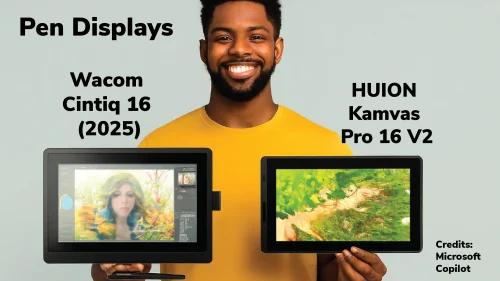
Huion Kamvas Pro 16 V2 (2025): Huion Pen Display
The Huion Kamvas Pro 16 V2 (2025) is a compelling alternative for artists who want a high-quality pen display at a significantly lower price. Its 15.6-inch fully laminated Full HD screen minimises parallax and provides a paper-like drawing experience. Huion’s PenTech 4.0 stylus supports 16,384 pressure levels, offering extremely fine control for detailed work. Colour accuracy is strong, with near-complete sRGB and Rec.709 coverage, making it suitable for illustration and design tasks.
The tablet includes six programmable keys and a Smart Touch Bar, enhancing workflow efficiency without relying heavily on a keyboard. A bundled adjustable stand, glove, spare nibs, and cables make it a complete package right out of the box. While it does not match Wacom’s resolution or ecosystem polish, the Kamvas Pro 16 V2 delivers outstanding value and performance for its price.
Wacom MovinkPad 11 (2025): Wacom Standalone Drawing Tablet
The Wacom MovinkPad 11 is Wacom’s most focused standalone drawing device, designed specifically for artists who want to sketch and create without a computer. Running Android 14, it features an 11.45-inch anti-glare display with a 2200 × 1440 resolution and etched glass for a natural drawing feel. The inclusion of the Pro Pen 3 ensures the same pen quality found in Wacom’s professional devices. Performance is smooth for sketching, note-taking, and concept work, supported by 8GB of RAM and expandable storage.
Unique features such as instant pen-launch drawing and bundled creative software make it particularly appealing for students and travelling artists. While not intended to replace a full desktop workstation, it excels as a portable creative companion.

Huion Kamvas Slate 11 (2025): Wacom Standalone Drawing Tablet
The Huion Kamvas Slate 11 targets affordability and versatility. Its 10.95-inch Full HD+ display with a 90 Hz refresh rate provides a smooth drawing experience, while the MediaTek Helio G99 processor ensures reliable everyday performance. The H-Pencil stylus supports tilt recognition, though with lower pressure sensitivity than Wacom’s offering. Preloaded drawing apps and long battery life make it an excellent entry-level standalone device for students and beginners.
HUION Kamvas Pro 16 V2 Drawing Tablet (2025)
Wacom vs Huion: Which Drawing Tablet Brand Is Right for You?
The Wacom Intuos Pro (2025) is the best overall pen tablet for professionals due to unmatched precision, customisation, and build quality. However, for most users, the Huion Inspiroy Frego M offers the best balance of performance and price, while the Inspiroy 2 Medium remains the best budget and beginner tablet option.
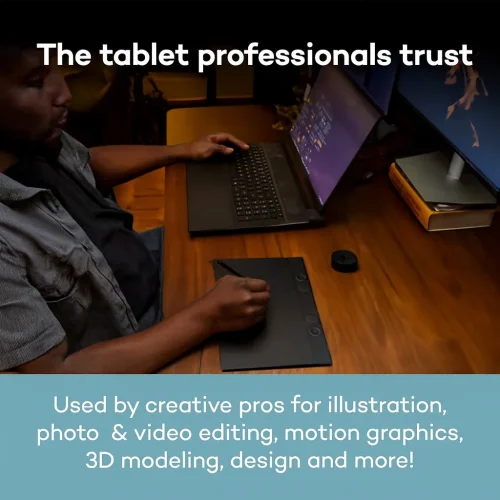
The Wacom Cintiq 16 (2025) is the best pen display for professionals who prioritise colour accuracy, pen precision, and driver stability. The Huion Kamvas Pro 16 V2 is the best value option, offering near-professional performance at a much lower cost.
The Wacom MovinkPad 11 is the best standalone drawing tablet overall due to superior pen technology and drawing-focused features. The Kamvas Slate 11 is the better budget option for casual artists and students. More about Wacom Cintiq 16 (2025).
Wacom Vs Huion Drawing Tablets in 2026
- Wacom Intuos Pro (2025 Redesign): Professional Wacom Pen Tablet
- Inspiroy Frego M (2024): Professional Huion Pen Tablet
- HUION Inspiroy 2 Medium (2022): Best selling Huion Pen Tablet
- Wacom Cintiq 16 (2025): Best Pen Display
- HUION Kamvas Pro 16 V2 Drawing Tablet (2025): Huion’s Pen Display
- Wacom MovinkPad 11 (2025): Wacom’s Pen Computer
- Kamvas Slate 11 (2025): Huion’s Pen Computer
Frequently Asked Questions
Is Wacom better than Huion for professional artists?
Wacom is often preferred by most professionals due to its pro workflow, pen accuracy, and premium build quality. However, many artists successfully use Huion tablets for professional work, especially those looking for strong performance at a lower price.
Which is more affordable, Wacom or Huion?
Huion tablets are generally cheaper, offering premium features for a low price. Wacom tablets tend to be more expensive but focus on premium materials and long-term reliability.