
As an Amazon Associate, we earn from qualifying purchases.
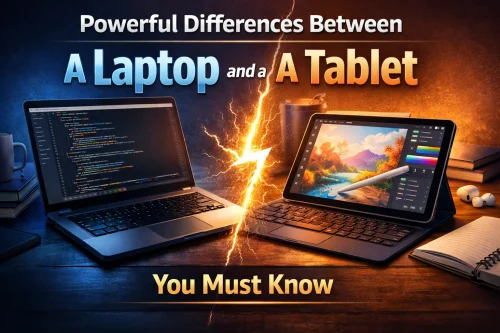
Whether you are a beginner or a seasoned professional, choosing the right technology or device for your work will depend on regular usage patterns, the task at hand, work style, and power and performance needs.
When choosing between a laptop and a tablet, you need to carefully consider portability for the tablets and power and performance features on the laptops.
If you are considering upgrading your traditional laptop workflow to a tablet-based workstation or vice versa, below are some important things to have in mind to choose a laptop or tablet.
In this post we will first explain the main differences between a laptop and a tablet. After that we will describe both devices detailing who each one is best for. We have also listed advantages you will have when using tablets for proffesional work.
Key Differences Between a Laptop and a Tablet
Tablets and laptops are made for professional work output. However, their hardware and specifications are optimised to offer convenience in different core purposes. This clearly sets them apart.
Tablets Optimised for Portability
Tablets are compact, lightweight devices made for portability and easy mobility. They weigh between 1 and 1.5 pounds. A slim 0.25 inch slim body ensures you can fit them in a big jacket or small backpack.
Tablets are designed to have an interactive touch screen and a non-physical on-screen keyboard instead of a keyboard and mouse that adds to a laptop’s bulkiness.
Professionals working on the go or away from their offices prefer carrying tablets instead of their bulky laptops. Most of them have a long battery life of up to a whole working day with quick recharging.
Generally, tablets are built for easy portability and mobility while still maintaining the powerful performance of traditional laptops.
Some professionals who prefer tablets due to the nature of their work include photographers,real estate agents, remote doctors and healthcare workers.
Laptops Excel in Power and Performance
Laptops, on the other hand, offer a computer-like experience with large screens, powerful processing and accessories like mice and keyboards.
If you are working with a lot of data, complex software or multitasking, professionals prefer traditional laptops thanks to the physical tools and computer-like operating systems such as Windows 11. This is the same as you will find on a desktop computer.
When you choose a laptop, you will forgo the convenience that comes with tablet portability.
Some professionals who prefer laptops due to the complex nature of their work include video editors, data analysis experts, architects, graphic designers and animators.
Tablet Advantages for Work
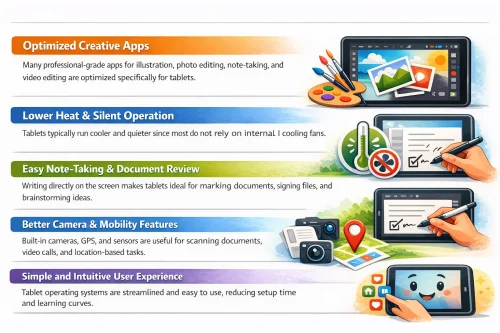
- Easy portability and mobility. A light and slim build and long battery life plus fast charging ensure you can use it on the go.
- You can use tablets for longer without interruptions, thanks to longer battery life than laptops.
- A comfortable touchscreen interface with stylus support. This provides a natural user experience when writing, drawing, note-taking or sketching.
- Tablets feature operating systems similar to smartphones. This offers instant startup & fast performance compared to Windows OS.
- Tablets are more versatile when used with different user modes. For example, you can hold it by hand as you use it or use stand mode when presenting in a meeting. Also, you can use external keyboards or inbuilt on-screen keyboards.
iPad vs Laptop: Pros, Cons, and Key Differences

Pads are slightly different compared to traditional laptops. This section explains how iPads compare to traditional laptops.
To best understand, I have considered aspects like design and portability, software support and operating systems, data input methods and accessories, power and performance, and storage and expandability for both iPads and laptops.
- Design and portability
- Software support and operating systems
- Data input methods and accessories
- Power and performance
- Storage space and expandability
Laptops come in many different sizes, weights and shapes. They are generally heavier and less portable. Their ergonomic design, however, makes them easy to use for longer and ensures they live longer.
Almost all iPads feature a slim and sleek build design. Their lightweight design, powerful battery and bright screen make them easy to use on the go, whether indoors or outdoors. iPads are ideal for different professionals, like artists, travellers, students, and on-the-go users.
Laptops run on Windows or macOS systems. This is similar to desktop computers and ensures compatibility with top-level, fully featured applications. Laptops are ideal for professionals performing complex tasks like animation, video editing, coding and graphic design.
iPads only run exclusively on iOS systems similar to iPhones. This operating system is highly optimised to run mobile applications but might have issues with full desktop applications. This is usually common when using your iPad for complex tasks like graphic design and architecture. Sometimes updates are not available, especially for older iOS devices.
iPad input devices like Magic Keyboards and Apple Pencils are aways sold separately,always adding to the price. The tablet’s compatibility with Apple Pencil is a big plus, making them perfect devices for drawing, note-taking and more. You can use the on-screen keyboard like most users or buy an external Magic Keyboard.
Laptops are best used with external physical devices like a keyboard, trackpad if available and physical mouse. These physical devices make laptops comfortable to use and work on for professional tasks.
Older iPads used to work with Apple Pencil 1 or 2. The new Apple Pencil series offers the best performance of any iPad, whether you are using it for creative work or management.
Laptops offer more RAM, better processors and expandable specifications like storage space. This makes it possible to slowly improve your laptop to perform the most complex tasks, like 3D rendering, animation and more. iPads usually have fixed specifications like internal storage, RAM and more, reducing their overall flexibility. To upgrade specs, most users buy the next available sizes or specifications.
Can an iPad Replace a Laptop Device?
Yes, iPads can easily replace laptops for some tasks like streaming, browsing the web, drawing and digital art. They are, however, limited when working on complex tasks that require high specifications or advanced applications.
Frequently Asked Questions
What is a Chromebook?
A Chromebook is a laptop that runs on Google’s ChromeOS. It is designed mainly for web-based tasks and cloud applications.
What’s the difference between a laptop and a tablet?
A laptop is designed for heavy tasks like coding, advanced editing, and long typing using a physical keyboard and mouse, while a tablet is touchscreen-focused with optional accessories, making it lighter, more portable, and ideal for creativity, note-taking, and everyday use.
What are Laptops?
Laptops are portable computers with an attached keyboard fused to the screen and a small trackpad to work as a mouse. Although they are more bulky, they are created with powerful desktop-like specs that allow them to perform pro-level tasks.
What are tablets?
Tablets are computers made with a touch-sensitive screen and a compact, lightweight design for easy portability. Accessories like pens and keyboards are not a must-have because you can use fingers to touch and select and the onscreen keyboard to type.